$ mkdir publishToConfluenceDemo
$ cd publishToConfluenceDemo
$ curl -Lo dtcw4 doctoolchain.org/dtcw4
$ chmod +x dtcw4
Publish Your Docs to Confluence
There are times when you’ll want to publish your docs to Confluence, such as when you work in a team where not everyone wants to work with Git. docToolchain lets you publish your Git-based docs to Confluence alongside manually edited Confluence pages.
Another situation is when you want to work with the arc42 template in Confluence. There are several ways to import the template, but most of them require admin access. To get around this, you can set up a fresh copy of the arc42 template in docToolchain and publish it to your Confluence instance.
In this tutorial, you’ll learn how to publish the arc42 template to a Confluence cloud instance.
Step 1. Set Up docToolchain
If you have already completed the install docToolchain and get the arc42 template tutorials, you can skip this part.
For this tutorial, we assume that you work with a macOS/Linux-based system. On Windows, use WSL2 — dtcw4 is a Bash script.
|
-
In the Terminal, create a project folder and download the wrapper:
-
Initialise docToolchain by running your first task. The wrapper installs Java and docToolchain on first use and creates a default
docToolchainConfig.groovyif none exists.$ ./dtcw4 local tasks -
Next, download the arc42 template:
$ ./dtcw4 local downloadTemplateAnswer the prompts for language and help text. You should now have an
src/docs/arc42folder and the template registered indocToolchainConfig.groovy:Project Folder Structure. ├── docToolchainConfig.groovy ├── dtcw4 └── src └── docs ├── arc42 │ ├── arc42.adoc │ └── chapters │ ├── 01_introduction_and_goals.adoc │ ├── ... │ └── 12_glossary.adoc └── images
Step 2. Configure Publication to Confluence
All configuration for publishToConfluence lives in the confluence { … } section of docToolchainConfig.groovy.
In v4 there are no Gradle -P parameters — credentials and settings are read from this config (or, where noted, from environment variables you reference in the config).
-
In the root of your project folder, open
docToolchainConfig.groovyand find theconfluence.with { … }block.docToolchain is preconfigured to publish sample input (the arc42 template) to Confluence. The input for the
publishToConfluencetask is the HTML produced by thegenerateHTMLtask. Pointinputat the HTML file thatgenerateHTMLwrites for your document:input = [ [ file: "build/html5/arc42/arc42.html" ], ]This must match the
inputFilessection at the top of the file, which tellsgenerateHTMLwhich source to render and where the HTML lands:inputFiles = [ [file: 'arc42.adoc', formats: ['html','pdf']], /** inputFiles **/ ] -
Set up the API endpoint. Get your Atlassian Confluence URL, such as
https://arc42-template.atlassian.net.Endpoint Syntaxapi = 'https://[yourServer]/[context]'For Confluence Cloud the context is
wiki, so the endpoint ishttps://arc42-template.atlassian.net/wiki.For Confluence Server/Data Center the context may differ. You can verify your endpoint by browsing to [your-api-endpoint]/rest/api/user/current, which should return a JSON description of your current user. -
Set the space key, such as
8FE:spaceKey = '8FE'
Step 2.1. Configure Confluence Authentication
docToolchain v4 reads credentials from the confluence config — never from CLI parameters.
You have three options. Choose one.
| It is strongly recommended not to commit plain-text credentials to Git. Read them from environment variables in your config (as shown below) and set those variables locally or as CI/CD secrets. |
Option A: Basic authentication (username + password or API token)
Set credentials to the Base64 encoding of user:password (for Confluence Cloud, use your account e-mail as the user and an API token as the password):
// reads the env var CONFLUENCE_CREDENTIALS, expected to hold
// the Base64 of "user:apiToken"
credentials = System.getenv('CONFLUENCE_CREDENTIALS')
To produce the value:
$ echo -n 'me@example.com:my-api-token' | base64| For Confluence Cloud, the API token method only works with a token generated from your central Atlassian account (see below). Plain passwords are not accepted by Confluence Cloud. |
Option B: Bearer token (Personal Access Token)
For Confluence Server/Data Center you can use a Personal Access Token. Follow the Confluence documentation to create one, then set:
bearerToken = System.getenv('CONFLUENCE_BEARER_TOKEN')When bearerToken is set, docToolchain sends Authorization: Bearer <token> and ignores credentials.
Option C: API key header (apikey)
Some setups require an additional API-key header. Set it alongside credentials:
apikey = System.getenv('CONFLUENCE_APIKEY')Creating a scoped API token (Confluence Cloud)
Atlassian is deprecating unscoped (classic) API tokens.
When you create a new API token for Confluence Cloud, you must select specific scopes.
If you receive a 403 - Forbidden error, you likely need a new scoped token.
-
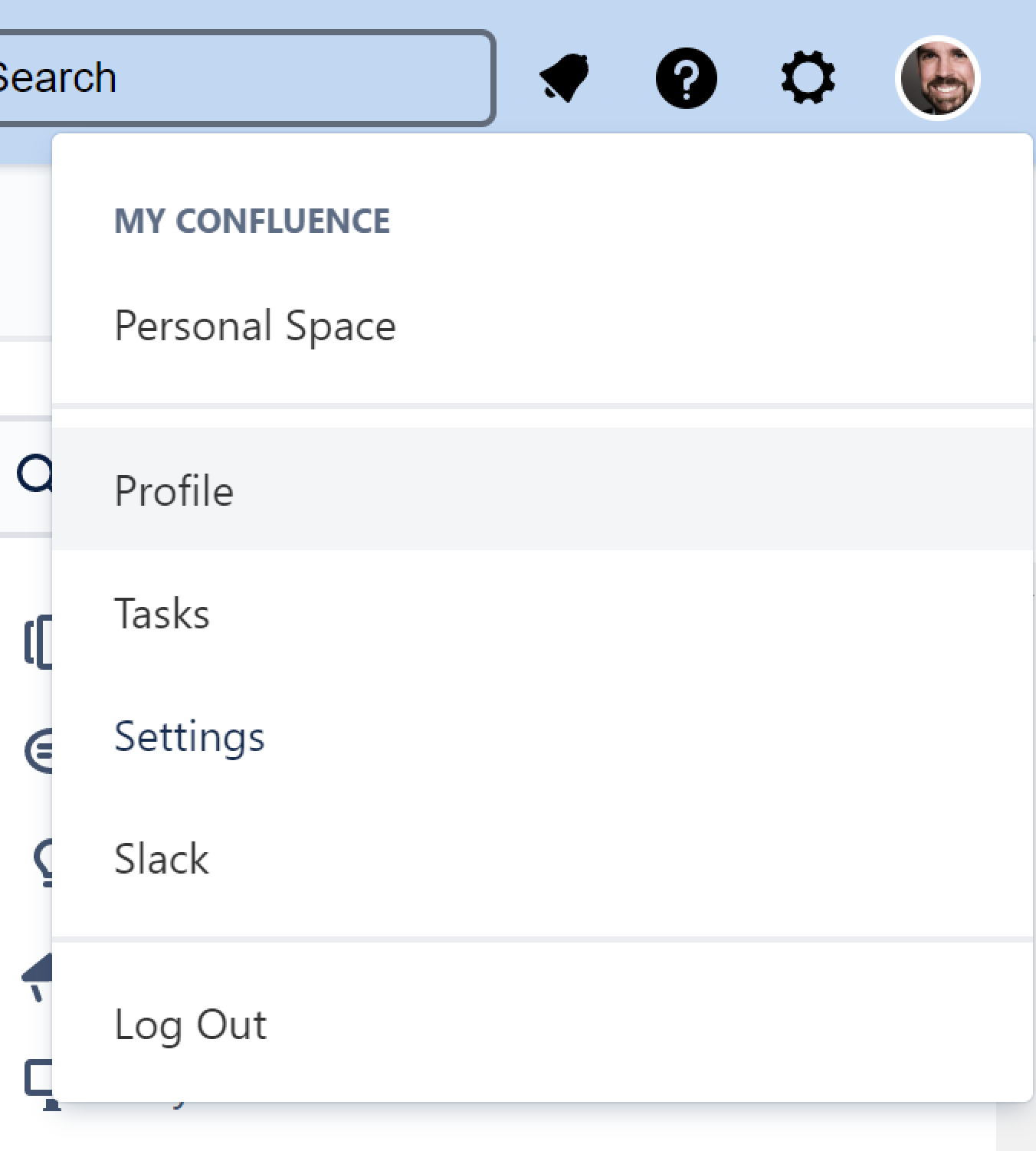
Navigate to your central Atlassian profile.
-
Go to Manage your Account.

-
Click Security > API token > Create and manage API tokens.
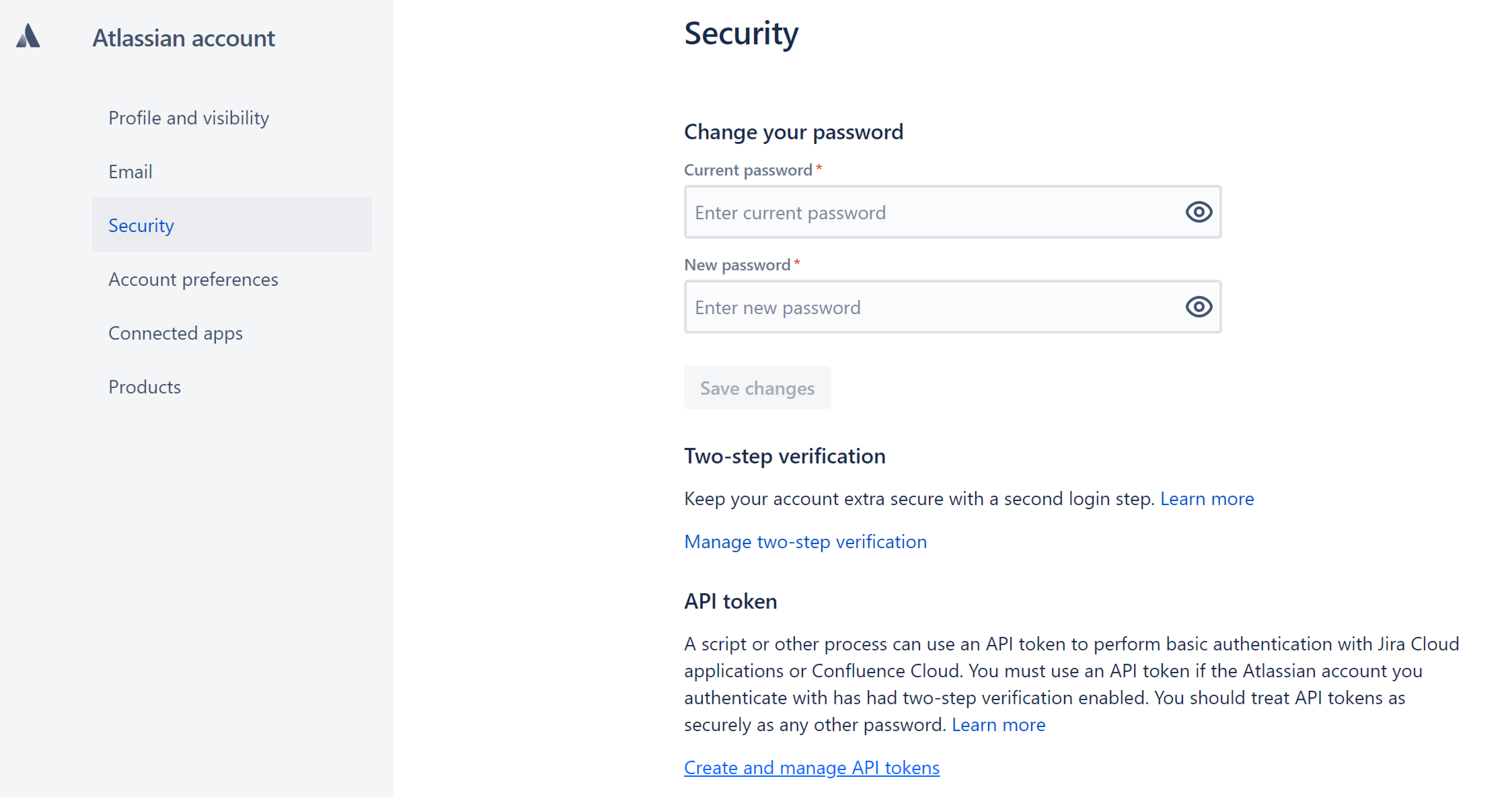
Here is the shortcut to this page. -
Click Create API token.
-
When prompted to select scopes, choose the following scopes required by docToolchain:
Scope Purpose read:meVerify API credentials (read current user info)
read:confluence-content.allRead pages, attachments, and labels
write:confluence-contentCreate, update, and delete pages, attachments, and labels
read:confluence-space.summaryRead space information (required when using API V2)
If you also use the wipeConfluenceSpacetask,write:confluence-contentalready covers page deletion for API V1. For API V2,delete:page:confluencemay also be needed. -
Store your API token in a safe location and use it as described in Option A.
Step 3. Publish Your Pages
Make sure the relevant environment variable is set, then publish:
$ export CONFLUENCE_CREDENTIALS=$(echo -n 'me@example.com:my-api-token' | base64)
$ ./dtcw4 local publishToConfluence
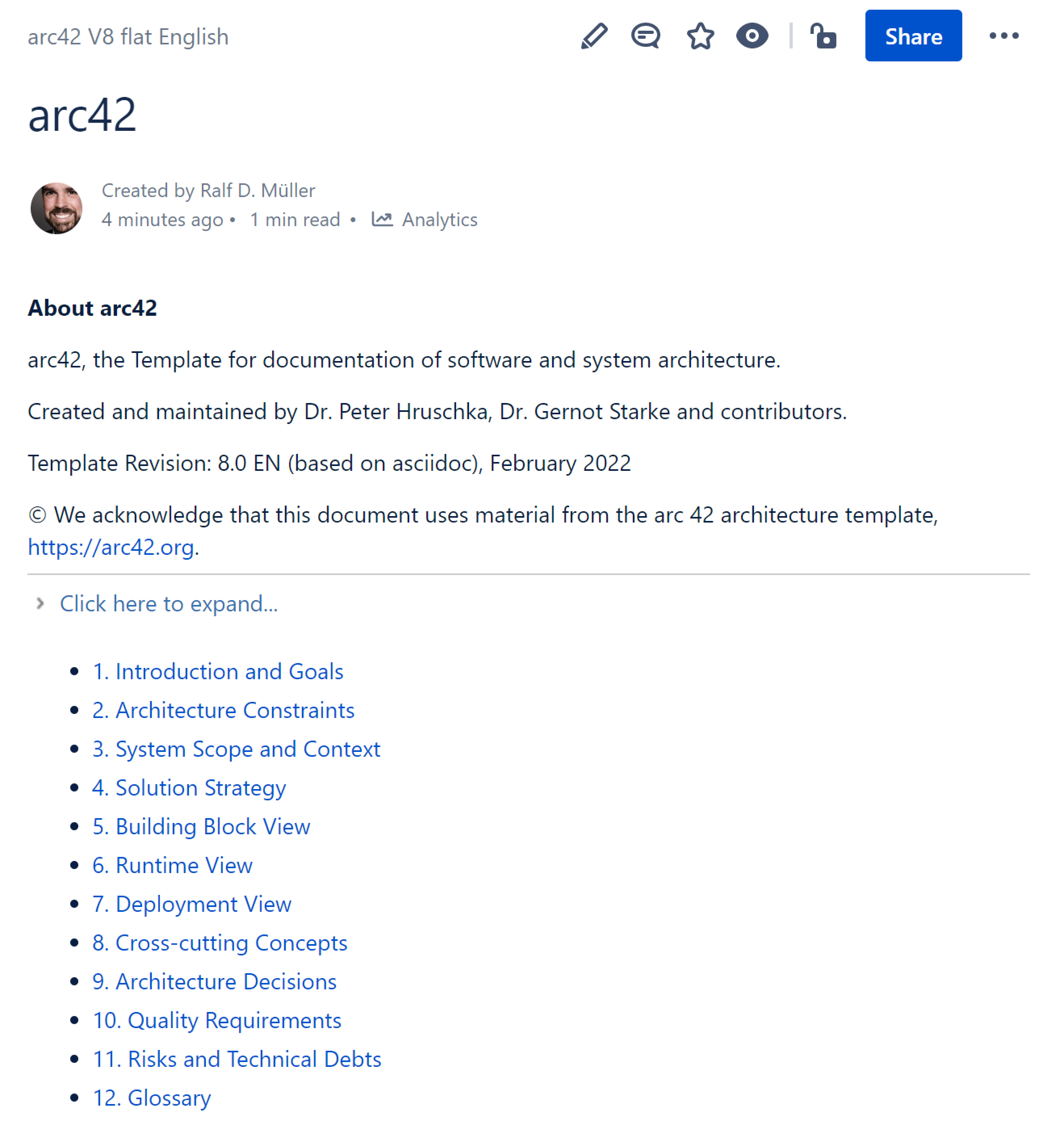
The task first runs generateHTML and then creates one Confluence page per arc42 chapter.
The console reports the target API and each created page:
docToolchain v4 — publishToConfluence
  target: https://arc42-template.atlassian.net/wiki

> created page 2033844225
1. Introduction and Goals
> created page 2033909761
2. Architecture Constraints
...
If the API URL is missing, the task prints the expected config shape and exits.
If authentication fails, the error message names the cause (for example a 403 - Forbidden), so you can check your credentials and token scopes.
Feedback
Was this page helpful?
Glad to hear it! Please tell us how we can improve.
Sorry to hear that. Please tell us how we can improve.